
SALE −12%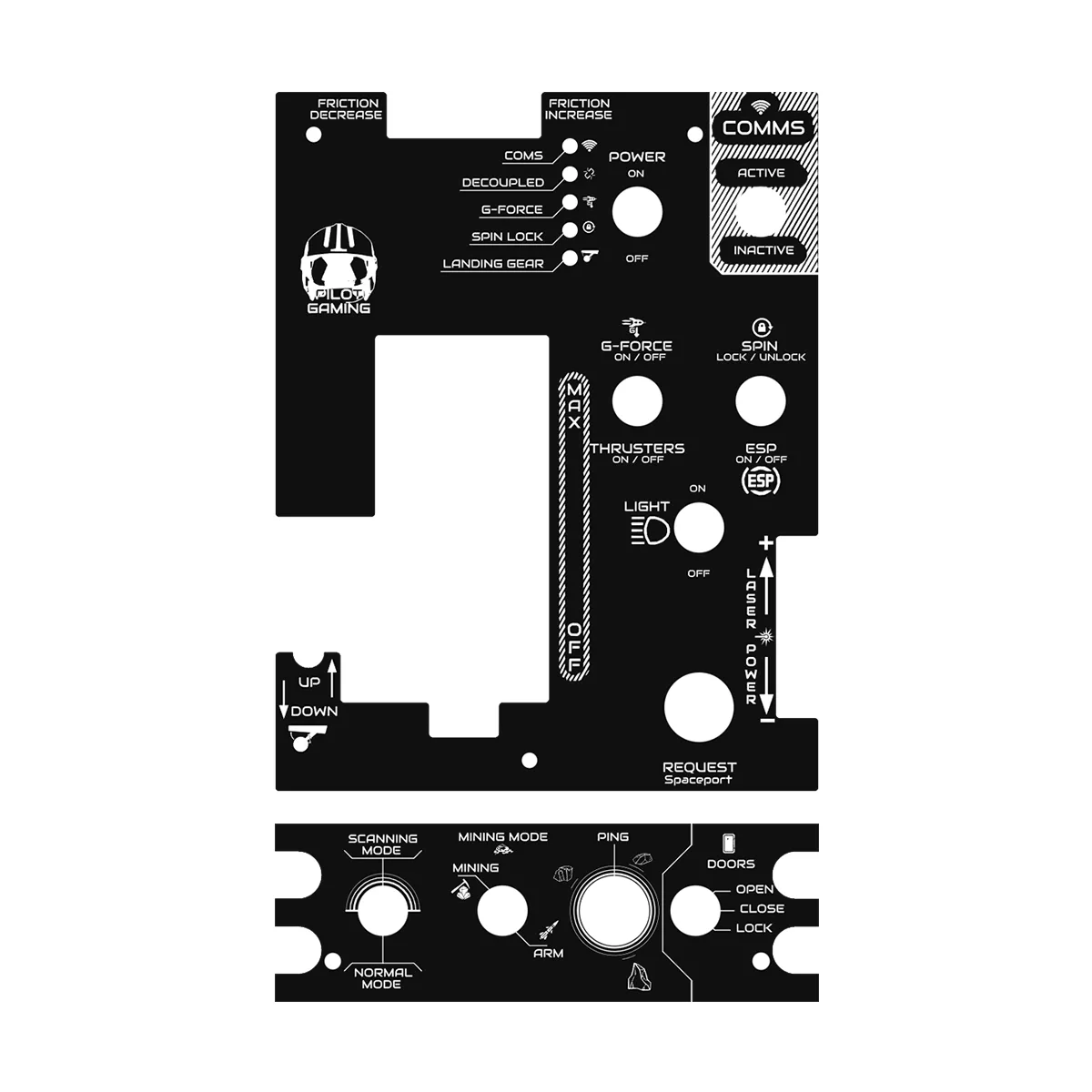
HOTAS Plates for Thrustmaster Warthog
Your Warthog, labeled for your sim
€44.00€50.00approx. $49 USD
In stock★★★★★
Price includes €0.08 eco-tax (WEEE). USB-C cable required (port or adapter).
The Thrustmaster Warthog is a benchmark — give it the markings of your simulation. These replacement plates show the exact name of every function: landing gear, comms, laser modes, eject... everything is readable instantly.
Available layouts: Star Citizen, F14 Tomcat, F86 Sabre, Elite Dangerous, or the CUSTOM option for your own configuration.
Panel functions
- Included
- Top and bottom replacement plates
- Printed markings matched to your simulation
- Mounts on the stock Warthog mounting points
- Available layouts
- Star Citizen V1
- F14 Tomcat, F86 Sabre
- Elite Dangerous
- CUSTOM: your own layout
Specifications
| Weight | 0.3 kg |
| Mounting | Mounts in place of the stock Thrustmaster Warthog plates |
Customer reviews
5.0
★★★★★
based on 2 reviews
06/06/2024
★★★★★Excellent service, they contacted me to let me know there was a different version of the plates more in line with what I wanted. Shipped well packaged and promptly.
15/01/2023
★★★★★Love it, a must-have for a Star Citizen "Warthog" pilot.
✍ Write a review
Please enter your order reference and email.
★★★★★